
Common Use Cases
VL Chat supports a range of workflows across dataset exploration and curation:How to Use VL Chat
To access VL Chat, open any dataset in Visual Layer and click in the top navigation bar. The chat interface appears as a panel on the right side of your screen, allowing you to explore while viewing your dataset.
Each dataset maintains its own conversation thread, which persists across sessions. To start a fresh conversation, click New Thread in the chat panel.
in the top navigation bar. The chat interface appears as a panel on the right side of your screen, allowing you to explore while viewing your dataset.
Each dataset maintains its own conversation thread, which persists across sessions. To start a fresh conversation, click New Thread in the chat panel.
Asking Questions
Type your question in natural language into the chat input field and press Enter. VL Chat processes your query and returns results along with an explanation of what it understood and what it found. Query capabilities depend on the dataset configuration. VL Chat can only search fields that exist in your data: datasets without annotations cannot filter by labels, and cluster-based queries require Similarity Clusters to be generated first. If you reference a field that isn’t configured, the system explains this and applies the filters it can. Example queries:- “Show me images with blur issues”
- “Find all images tagged as defective”
- “Display images from cluster 5”
- “Show me images with high uniqueness scores”
- “Find images labeled as cats”
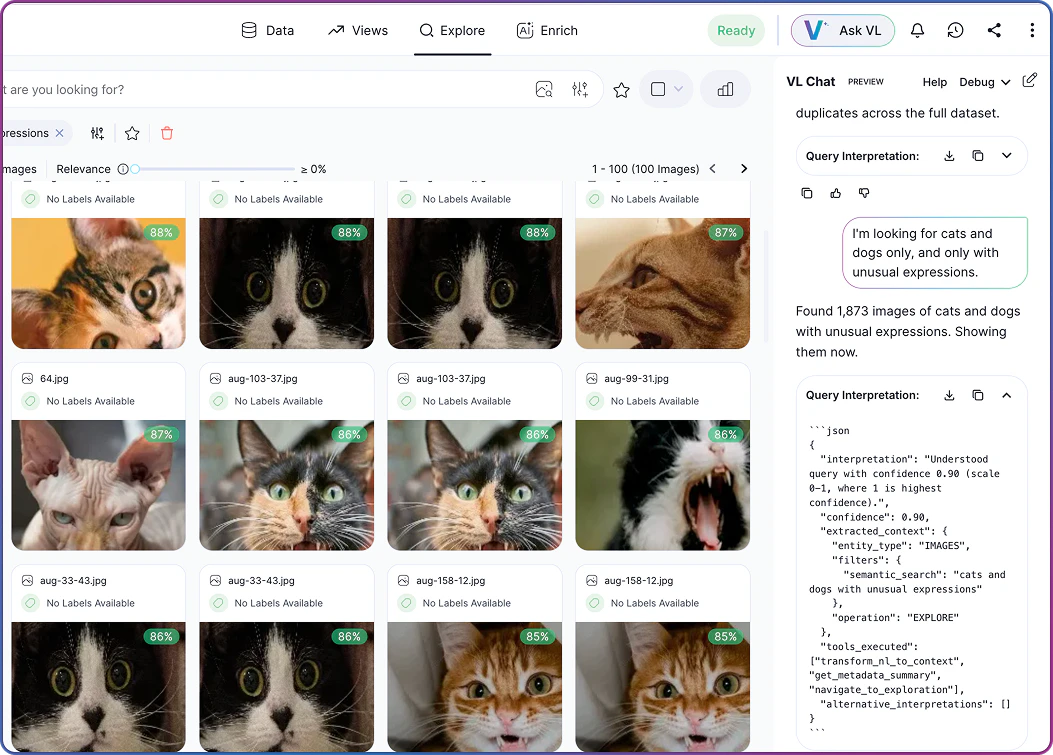
Types of Queries You Can Ask
VL Chat understands queries about different aspects of your dataset:Tips for Effective Queries
Use these guidelines to get accurate, relevant results from VL Chat:Understanding Responses
When you ask a question, VL Chat provides:- Interpretation summary: A clear statement of what the system understood from your query.
- Validation feedback: Information about which parts of your query were applied successfully and which weren’t available.
- Visual results: The actual images or objects matching your criteria.
- Alternative interpretations: Suggestions if your query was ambiguous or if certain fields aren’t available.
Multi-Turn Conversations
VL Chat maintains context across multiple messages, allowing you to refine your queries progressively: You: “Show me images with blur” VL Chat: Returns 156 blurry images You: “Now show only the ones from last week” VL Chat: Filters the previous results to show 23 images from last week You: “Which cluster has the most of these?” VL Chat: Analyzes the filtered results and highlights cluster 12 Each follow-up question builds on the previous context, making exploration feel natural and conversational.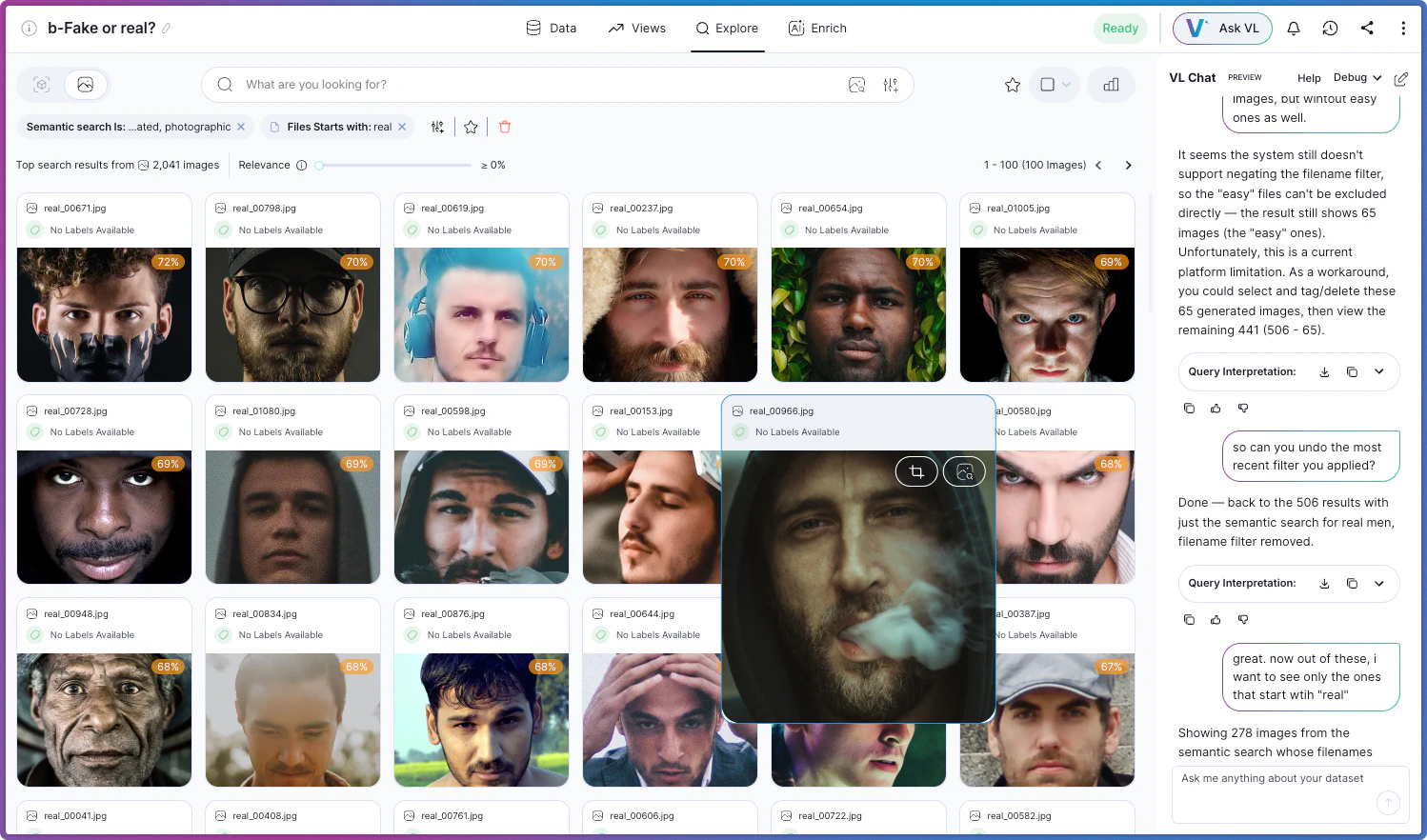
Related Resources
Exploring Datasets
Learn about all dataset exploration features
Using Search & Filter
Manual filtering and search options
Understanding Clusters
How similarity clustering works
Custom Metadata
Adding custom metadata fields to your datasets